
Free
€0 forever
Everything you need to keep household spending in check.
- 5 AI scans per month
- Unlimited quick expenses
- Monthly and category budgets
- Family sharing
- Insights, notifications and CSV export
- Split expenses with friends
- 1 trip
Free iPhone app · AI-powered
Budgetto reads every item, assigns a category and updates your family budget in real time. Always know what you’ve spent and what’s left — without spreadsheets.
Free on iPhone · No credit card needed
How it works
Nothing to type, nothing to remember. Budgetto turns a photo into an always up-to-date budget.
Take a photo of any receipt. Extra long? Shoot it in parts — the AI stitches it back together.
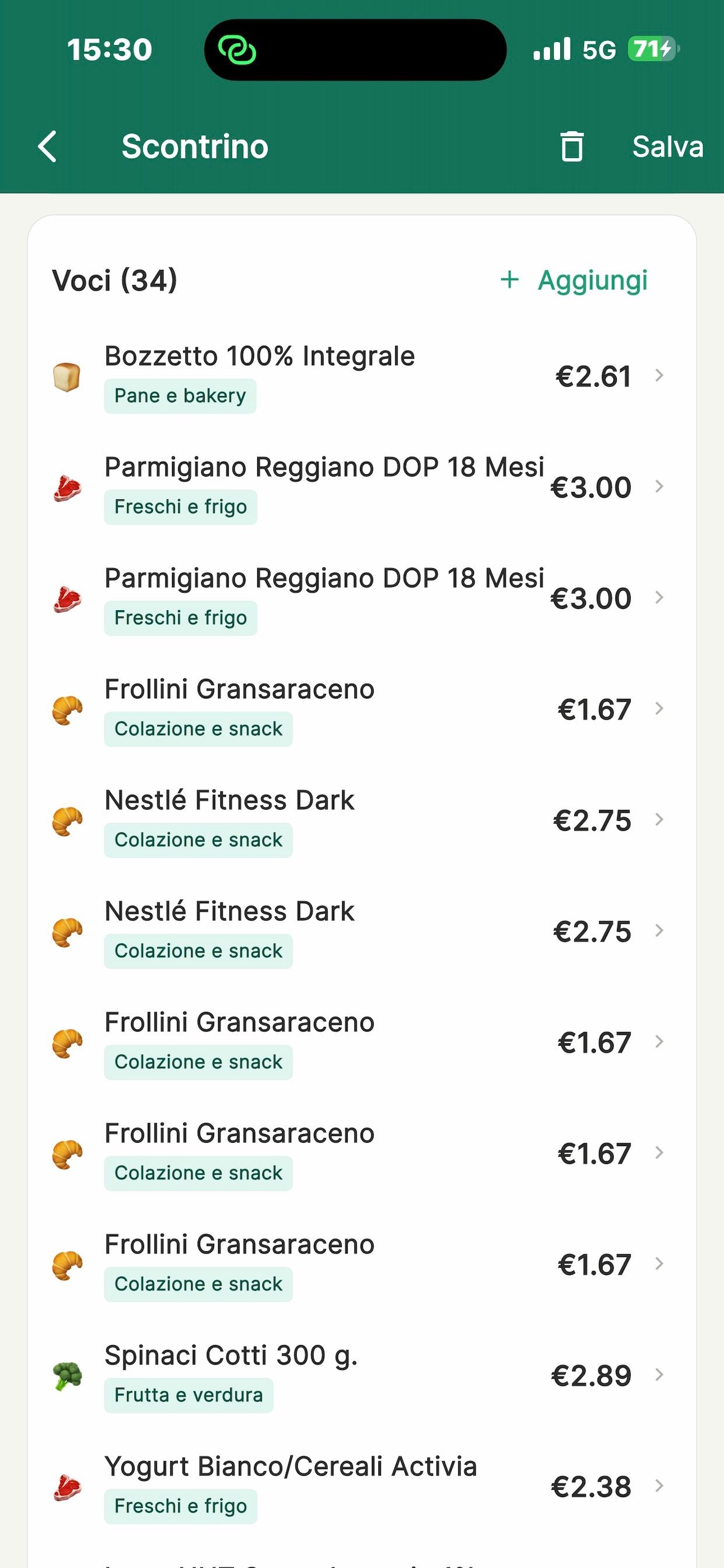
Every item is extracted with its price, abbreviations are expanded and categories are assigned automatically.
Instantly see what you’ve spent, what’s left and how much you can spend per day until month end.
AI receipt scanning
Budgetto’s AI reads your receipt line by line: items, prices, discounts and total. It checks that the numbers add up and tells you if something is missing.
Monthly & category budgets
Set an overall monthly cap and a limit for each category. Budgetto alerts you at 80% and 100%, sends a Sunday summary and suggests how to adjust your budget at month end.
€614 of €800
€186 left · ~€15 per day
Shared family budget
Invite your partner with a family code: everyone’s receipts land in the same place, synced in real time. No more “did you log that?”.
Split expenses with friends
Dinners, barbecues, holidays with friends: split the bill in proportion to how many people each family brings. Only your share goes into the budget; the rest becomes money owed to you.
Barbecue · €132
€12 per person · 11 peopleHi! Your share for “Barbecue” on Sep 14 is €36. Thanks! 🙏
RemindInsights & charts
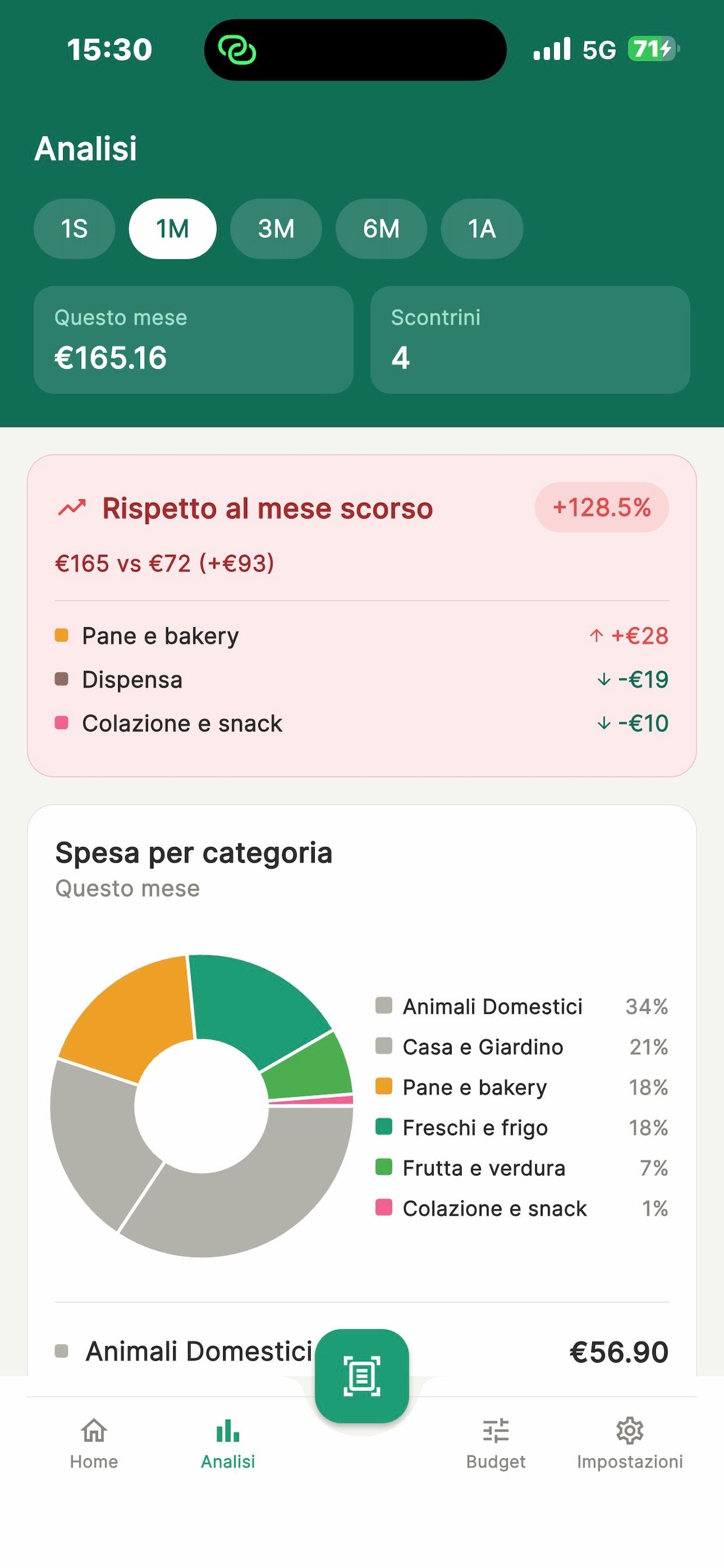
Charts by category, trends over time and comparison with the previous period. Spot at a glance what went up and where you can save.
Everything you need
Not just receipts: Budgetto covers every moment you spend, from the weekly grocery run to your holidays.
Create a trip and keep holiday spending separate from your household budget, even in another currency.
Reminders for utility bills, rent and subscriptions — never miss a due date again.
Coffee or a taxi? Add the amount in two taps, no receipt needed and no scans used.
Alerts at 80% and 100% of budget, a Sunday summary and a month-end recap.
All your expenses in one file for Excel, Numbers or Google Sheets. Your data stays yours.
English, Italian, Spanish and French. Your home currency is detected from your phone.
Pricing
No credit card to get started. One Premium subscription covers the whole family.
€0 forever
Everything you need to keep household spending in check.
€19.99 per year
All of Premium for less than €1.70 a month.
€2.99 per month
For frequent shoppers who want everything, unlimited.
Subscriptions renew automatically and can be cancelled anytime in your Apple ID settings. Prices include VAT and may vary by country.
FAQ
Yes. The Free plan includes 5 AI scans per month, unlimited quick expenses, category budgets, family sharing, insights and CSV export. Premium (€2.99/month or €19.99/year) unlocks unlimited scans and trips plus bill reminders.
Take a photo of the receipt or pick it from your gallery. The AI extracts every item with its price, expands abbreviations, assigns categories and checks that the sum matches the total. In seconds the expense is in your budget.
Yes, Budgetto reads receipts from any supermarket, shop, pharmacy or restaurant. For very long receipts you can take several photos: the AI merges them and reads them as one.
Yes, for free. Generate a family code in settings and send it to your partner: from then on you both see all receipts, budgets and insights, synced in real time.
Yes, for free. When saving an expense tap “Split with others” and set how many people each group has: only your share counts in the budget, and the others’ shares go to “To receive”, with a reminder you can send on WhatsApp.
Budgetto is available now on the App Store for iPhone. The Android version is coming soon to Google Play.
Yes. Export all your expenses, or just a specific period, as a CSV file and open it in Excel, Numbers or Google Sheets.
Subscriptions are managed by Apple: cancel anytime from Settings › your name › Subscriptions, at least 24 hours before renewal.
Yes. From the app settings you can permanently delete your account, receipts and budgets at any time. Full details are in our privacy policy.

Download the app for free and discover in one month where your household money really goes.
Free on iPhone · No credit card needed